
Tenant Screening Checklist for Landlords
Why Every Landlord Needs a Screening Checklist
A tenant screening checklist ensures that landlords follow a consistent process when evaluating applicants. This reduces the risk of missing important information and helps maintain fair screening practices.
Tenant Screening Checklist
Review Rental Application
Start by reviewing the tenant’s rental application for completeness and accuracy. Confirm identification information and verify previous addresses.
Verify Income
Ensure the applicant earns enough to afford the rent. Request documentation such as pay stubs or bank statements.
Check Credit Report
A credit report reveals payment history, debt levels, and financial responsibility.
Contact Previous Landlords
Ask previous landlords whether the tenant paid rent on time and followed lease terms.
Check Eviction History
Eviction records can indicate whether a tenant has previously been removed from a property for non-payment or lease violations.
Conduct Background Check
Criminal background checks help landlords evaluate potential safety risks.
Make Tenant Screening Easy
Using a checklist is helpful, but professional screening tools make the process much easier. Our tenant screening service and landlord forms package help landlords access credit reports, eviction records, and rental applications quickly and securely.
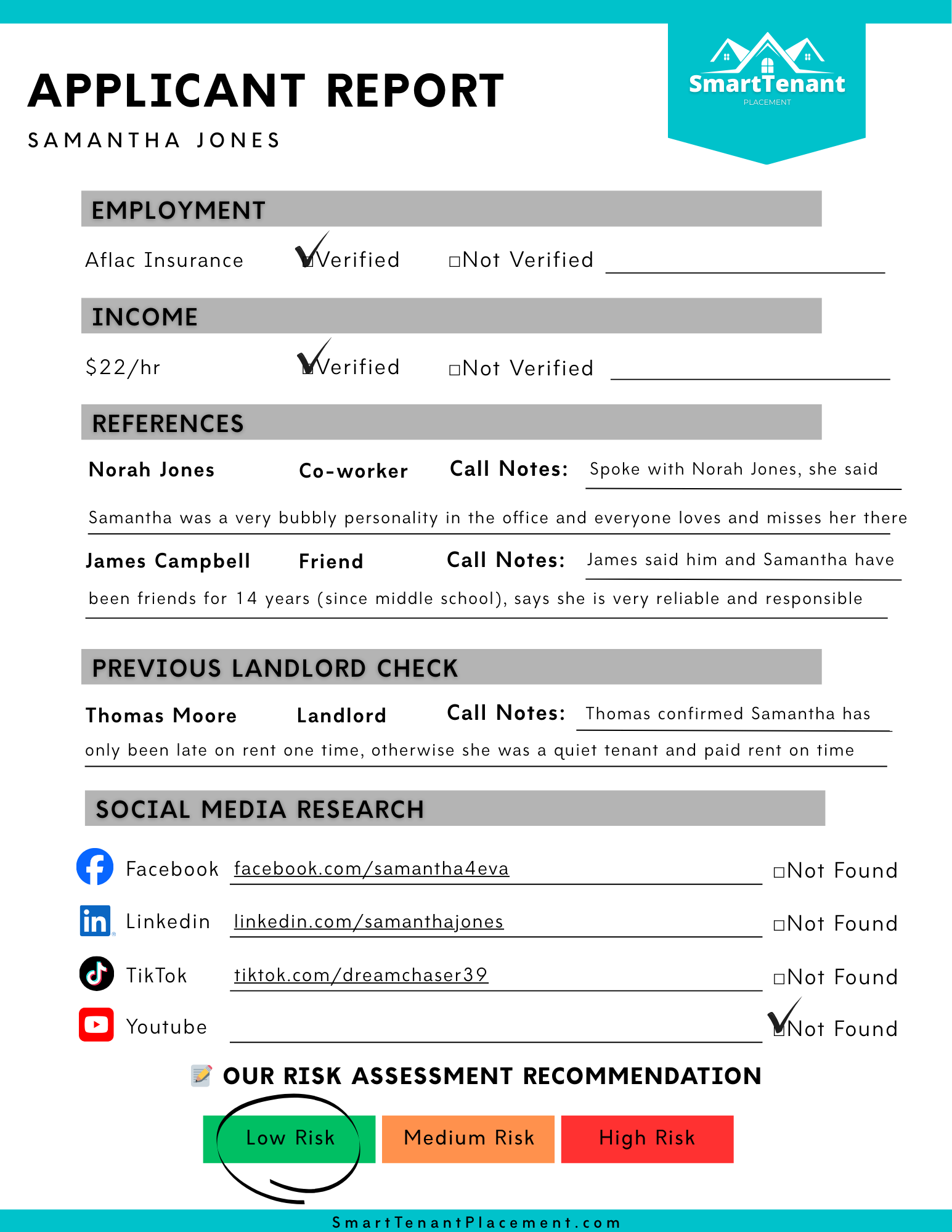

Tenant Screening Report
$39.99
This is for one Tenant Screening Report. After payment you will need to email us the file or photo of your tenant application. If you need multiple Tenant Screening Reports simply adjust the quantity of your order, then email the applications directly to us at: info@smarttenantplacement.com – If you need assistance please feel free to email us at anytime! We verify employment, call references, call previous landlord(s), dig through social media, give our risk assessment and more. The preview of our Applicant Report is basic and thorough… if we find more information we will attach it to your main Applicant Report.